Dashboard: Remote Client
Manual: Profile Tab
The Profile tab is where you configure the basic server settings. This includes the server path, mod file, network binding, and general server behavior.
Profile Information (Both)
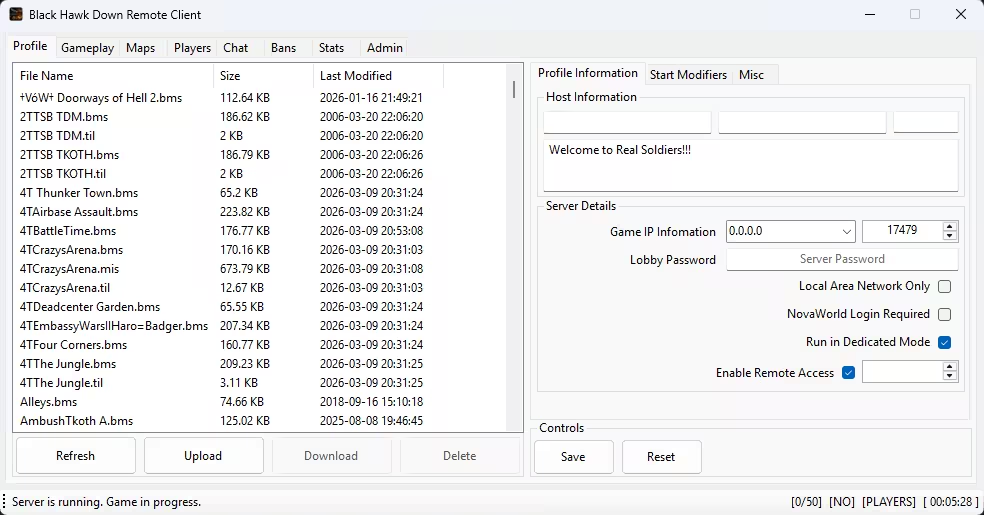
This section is for the system and network level settings relating to the game server, along with the game profile information seen by the lobby services and Novaworld.net.
Host Information
| Setting | Summary |
|---|---|
| Host Name | The display name of the server operator or administrator that players see in the server in-game chat. |
| Lobby Name | The server name shown in the game server browser and lobby listing. |
| Country Code | The flag or icon displayed next to the server in the browser to indicate the server's geographic location. |
Server Details
| Setting | Summary |
|---|---|
| Game IP/Port | The network IP address and port the server binds to for player connections. |
| Lobby Password | Optional password required to join the server lobby. Leave blank for public access. |
| Local Area Network Only | Restricts the server to local network connections only. Requires a local IP address to be functional. |
| NovaWorld Login Required | Forces players to authenticate through NovaWorld before joining. Prevents anonymous connections. |
| Run in Dedicated Mode | Runs the server as a dedicated process and is recommended for public servers. |
| Enable Remote Access/Port | Allows remote administration and connection via the RemoteClient application using the specified port. |
Start Modifiers (Both)
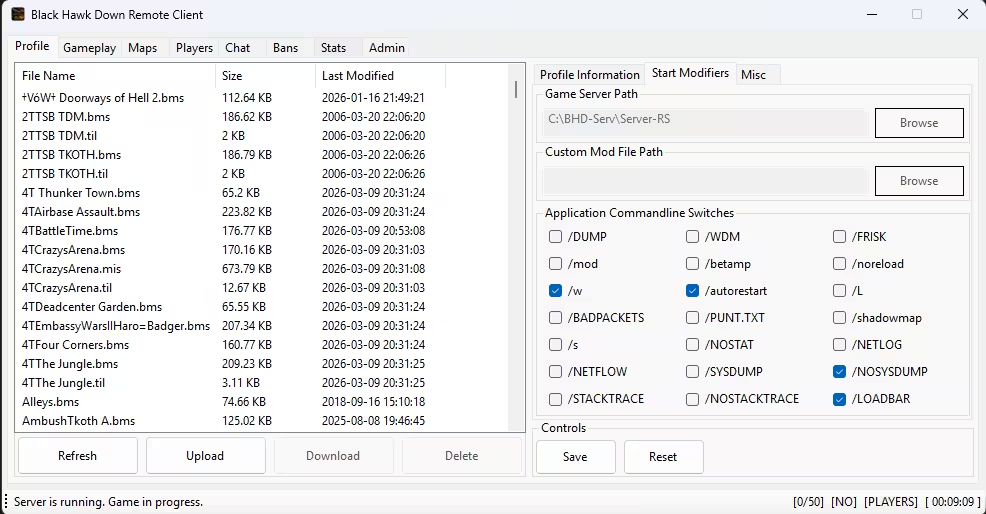
The Start Modifiers tab provides 21 command-line flags that control server behavior and features.
| # | Flag | Default | Summary |
|---|---|---|---|
| 1 | /DUMP | Off | Enables memory dump generation on crashes for debugging. |
| 2 | /WDM | Off | Something to do with sound drivers. |
| 3 | /FRISK | Off | Unknown. |
| 4 | /mod | Off | Loads a specific mod file and requires a mod file name parameter. |
| 5 | /betamp | Off | Unknown. |
| 6 | /noreload | Off | Unknown. |
| 7 | /w | On | Enables windowed mode so the console stays open. |
| 8 | /autorestart | On | Automatically restarts the server after crashes. |
| 9 | /L | Off | Enables logging. |
| 10 | /BADPACKETS | Off | Logs dropped or malformed packets for debugging. |
| 11 | /PUNT.TXT | Off | Enables punting, or kick list usage, from file. |
| 12 | /shadowmap | Off | Unknown. |
| 13 | /s | Off | Saves stats to file. |
| 14 | /NOSTAT | Off | Disables statistics reporting. |
| 15 | /NETLOG | Off | Enables network traffic logging. |
| 16 | /NETFLOW | Off | Enables network flow analysis. |
| 17 | /SYSDUMP | Off | Generates system dump on crashes. |
| 18 | /NOSYSDUMP | On | Disables system dump generation to reduce disk I/O. |
| 19 | /STACKTRACE | Off | Enables stack trace logging on errors. |
| 20 | /NOSTACKTRACE | Off | Disables stack trace logging. |
| 21 | /LOADBAR | On | Shows the loading progress bar. |
Misc (Both)
Simple access control to punt players with too low or high of a ping from being able to stay in the server.
File Manager (Both)
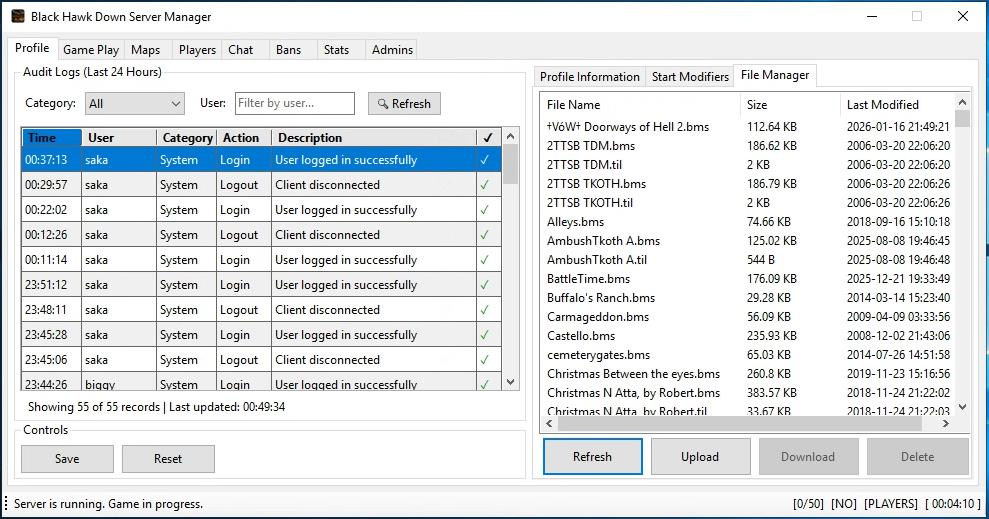
Supported File Types
| Extension | Description |
|---|---|
| .bms | Battlefield map files. |
| .mis | Mission files. |
| .til | Tileset files. |
There could be more file types. Please submit an issue ticket to suggest file extensions and the reason for them.
Operations
| Operation | Description |
|---|---|
| Upload | Import files from local disk. Supports ZIP archives and automatically extracts compatible files. |
| Download | Export selected files to local storage. Supports single or batch download. |
| Delete | Remove files from the server with a safety check for playlist usage. |
| Refresh | Reload the file list from the server directory. |